
Installing Branding Module from Linux CLI
To configure a system use your brand you will have to manually install the branding module
-
SSH into your PBX
-
From the Linux CLI run the following command replacing "https://LINKTOMODULE" with the actual URL of your module.
fwconsole ma downloadinstall https://LINKTOMODULE
-
Now we need to reload FreePBX with the following command
fwconsole reload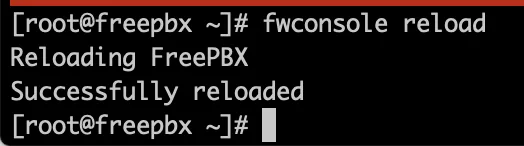
Installing Branding Module from PBX GUI
To configure a system use your brand you will have to manually install the branding module
-
Login to the Admin GUI of your FreePBX®
-
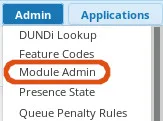
Navigate to Admin –> Module Admin
-
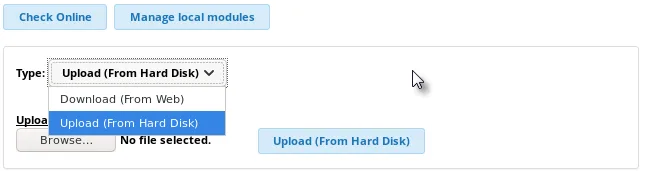
Select Upload modules

-
Select Upload (From Hard Disk) from the Type drop down
-
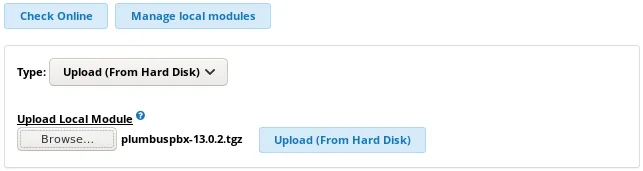
Browse for your Branding Module tgz file
-
Click the Upload (From Hard Disk) button
-
Navigate Back to Module Admin via the local module administration link

-
Scroll down until you find your branding module

-
Expand that line, and select Install

-
Click Process in the Bottom Right

-
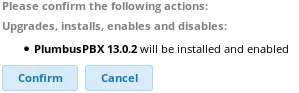
Click Confirm in the window that pops up
-
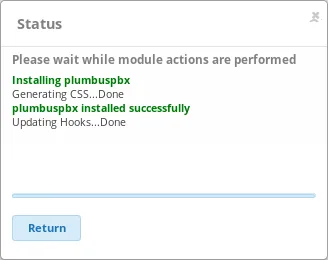
Once the install Completes Click Return
-
Click Apply Config in the Top Right

Set Module Pinning Version
Once the Branding Module is installed you can confirm the Pinning Version is set in Settings –> Advanced Settings
See the Changing Master Version on FreePBX Wiki





'/%3E%3C/svg%3E)

'/%3E%3C/svg%3E)
'/%3E%3Cpath%20d='m720%20345%2015-45%2015%2045-39-28h48'/%3E%3Cpath%20id='s'%20d='m675%2057%208%2026%2026-10-15%2023%2023%2014-27%202%204%2027-19-20-19%2020%204-27-27-2%2023-14-15-23%2026%2010'/%3E%3Cuse%20href='%23s'%20x='133'%20y='123'/%3E%3Cuse%20href='%23s'%20x='-150'%20y='163'/%3E%3Cuse%20href='%23s'%20y='400'/%3E%3Cuse%20href='%23s'%20transform='matrix(2.1%200%200%202.1%20-1192%20240)'/%3E%3C/svg%3E)

'/%3E%3C/g%3E%3Cuse%20x='525'%20href='%23b'/%3E%3C/g%3E%3Cuse%20y='375'%20href='%23c'/%3E%3C/svg%3E)
