


High Volume, Low Volume, and Metered Subscriptions Available
No Per Page, Per-user, or Per Group Fees!
Painless Modern Faxing
Faxing should be as simple as sending an email.
Save Money and Time
Eliminate the cost associated with using landline fax.
No Fax Machine or Hard Copies Needed
Reduce clutter and unnecessary waste.
If You Can Access It, You Can Fax It
Send faxs directly from your computer, tablet or smartphone.
Fax in Your Hand
Quickly scan and fax multiple pages at once with your mobile device.
Inbound Faxing
Fax to Email
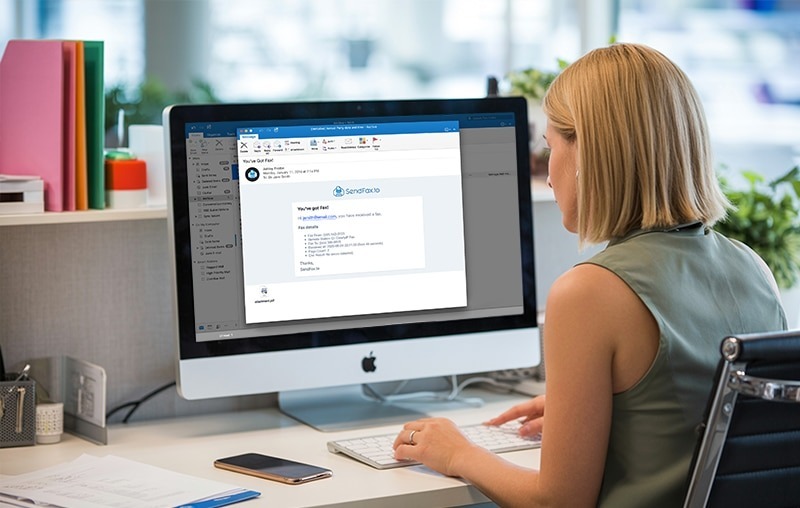
The SendFax.to online portal easily configures inbound email delivery from any Fax Enabled (T.38) Numbers, available in most North America regions.
The SendFax.to online portal allows for ease of configuration from any Fax Enabled (T.38) number to email, available on all fax supported DIDs.
Inbound faxes deliver to up to two email addresses.
Email to Individual Email Accounts
Email to Your Distribution Group
Email to Email-to-Print capable Printers
Outbound Faxing
SendFax.to – Email to Fax
You can enable and manage specific email addresses or domains to send faxes using our SendFax.to service.
Each fax capable DID on your account can be associated with up to 100 authorized email addresses or email domains.
Email addresses can be authorized to send for multiple fax DIDs.
When sending a fax by email, users can easily specify which fax number to use as the sending address. Suppose users are authorized to use multiple fax numbers. In that case, our system will allow them to choose which number to send from immediately with a follow-up email, enabling them to select the proper account.
How Do I Send a Fax Using Email and SendFax.to?
Easy 3 Step Process
STEP 1
Create a new email message and then add any attachments that you would like to fax.
Attachments can be
PDF, PNG, IMG, DOC
Your email will be your cover page.
STEP 2
Enter the email address in the
“To:” field, or select it from your address book
Use this format to specify where to send the fax:
NPANXXXXXX@sendfax.to
19205555555@sendfax.to
STEP 3
Send the email. That’s it! Your email will be converted to a FAX and delivered to the fax number you specify.
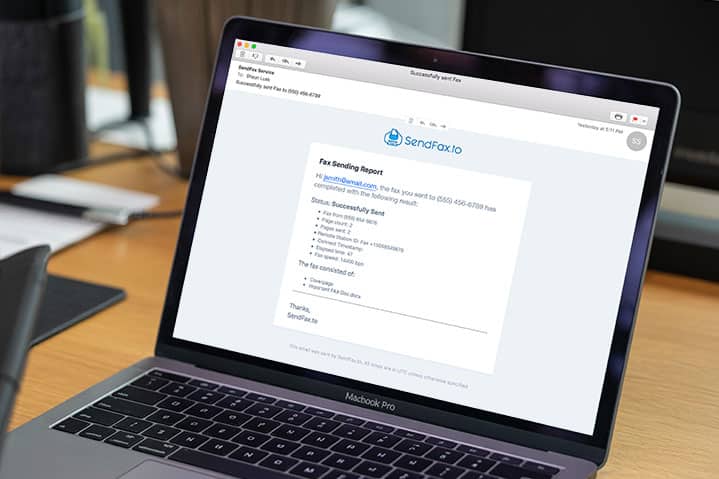
You’ll even receive a delivery status confirmation by email.
Discover How Easy SendFax.to is to Setup
Watch the Live Demo
SendFax.to Device
SendFax.to – Email to Fax
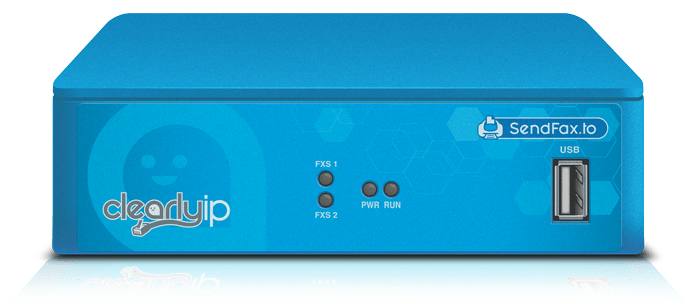
Designed as a complementary appliance add-on to the SendFax.to platform.
Supports the connectivity of up to 2 physical fax machines, or hardware of your choice to enjoy the flexibility of analog faxing without the expense of a dedicated line.
Store your faxes, connect a physical fax machine, and send/receive with secure and reliable technology using the SendFax.to device.
Enjoy the benefits of both worlds- virtual and physical faxing with ‘SendFax.to’ & ‘SendFax.to Device’.
Use Your Multifunction Printers to Send and Receive Faxes Without a Traditional Phone Line!
Send Faxes
Using Scan-to-email, Scan your doc and specify the sendfax.to address to deliver your fax.
Receive Faxes
Utilize Email-to-print capable devices to print your inbound faxes automatically. Example: HP ePrint compatible printers and MFPs

This service can also be utilized for routing inbound faxes directly to your T.38 compatible PBX, ATAs, and Gateway Devices. Seeking to integrate into your application or solution with faxing? Use our FAX API Service.








'/%3E%3C/svg%3E)
'/%3E%3C/svg%3E)
'/%3E%3Cpath%20d='m720%20345%2015-45%2015%2045-39-28h48'/%3E%3Cpath%20id='s'%20d='m675%2057%208%2026%2026-10-15%2023%2023%2014-27%202%204%2027-19-20-19%2020%204-27-27-2%2023-14-15-23%2026%2010'/%3E%3Cuse%20href='%23s'%20x='133'%20y='123'/%3E%3Cuse%20href='%23s'%20x='-150'%20y='163'/%3E%3Cuse%20href='%23s'%20y='400'/%3E%3Cuse%20href='%23s'%20transform='matrix(2.1%200%200%202.1%20-1192%20240)'/%3E%3C/svg%3E)

'/%3E%3C/g%3E%3Cuse%20x='525'%20href='%23b'/%3E%3C/g%3E%3Cuse%20y='375'%20href='%23c'/%3E%3C/svg%3E)
