
Overview
Note: In most cases the phones will login and out without the need to reboot. However in some situations an automatic reboot will be necessary such as:
-
When a phone is logged in for the first time and doesn’t already have a mapping defined
-
When a phone is already logged in, it’s mapping is deleted from 14IP Devices and then it is logged out.
First Time Login With Defaulted (New Out of Box) Phone
-
Boot the phone
-
If you have the Phone Apps Fallback options defined in Port settings (as setup in Hot Desking Initial Setup ), you should see a blank screen with “Login” on the Line Keys.
Note: If phones don’t boot up to show a Login Button you may also need to configure Provisioning as detailed in the Setting Configuration Server Wiki.
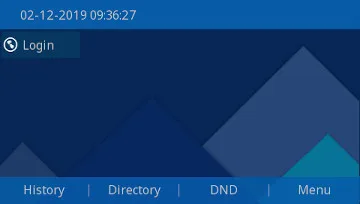
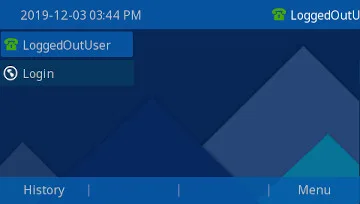
-
Press the "Login" button and fill in the users Extension and Voicemail Password

-
Press "Submit"
-
If Successful you should hear a beep and the phone should provision showing the Line Keys and Buttons configured in the Users Logged in Model Layout.





'/%3E%3C/svg%3E)

'/%3E%3C/svg%3E)
'/%3E%3Cpath%20d='m720%20345%2015-45%2015%2045-39-28h48'/%3E%3Cpath%20id='s'%20d='m675%2057%208%2026%2026-10-15%2023%2023%2014-27%202%204%2027-19-20-19%2020%204-27-27-2%2023-14-15-23%2026%2010'/%3E%3Cuse%20href='%23s'%20x='133'%20y='123'/%3E%3Cuse%20href='%23s'%20x='-150'%20y='163'/%3E%3Cuse%20href='%23s'%20y='400'/%3E%3Cuse%20href='%23s'%20transform='matrix(2.1%200%200%202.1%20-1192%20240)'/%3E%3C/svg%3E)

'/%3E%3C/g%3E%3Cuse%20x='525'%20href='%23b'/%3E%3C/g%3E%3Cuse%20y='375'%20href='%23c'/%3E%3C/svg%3E)
